
Video Editor & Maker VideoShow
Contains adsIn-app purchases

star
5.94M reviewsinfo

Parental guidance
info
100M+
Downloads


About this app
VideoShow – AI Video Editor, Movie Maker & AI Video Generator!
VideoShow makes AI video editing easy and fun! Create stunning videos with AI effects, stickers, filters, transitions, and music. Personalize your vlogs, memes, and social media posts with scrolling text, FX, GIFs, and voice-overs. VideoShow unlocks your creativity with smart effects to help you preserve precious memories of weddings, birthdays, Halloween, Christmas, and Valentine’s Day. Share your creations with one tap on TikTok, Rednote, Instagram, and Facebook!
Professional Video Editor & Photo Editor:
- Ready-Made Templates: A trendy video will be made with simple steps.
- Keyframe Animation: Create smooth animations and dynamic effects with precise keyframe controls.
- Mask Editing: Blend clips seamlessly and create stunning effects with precise mask controls.
- Audio extractor: Extract clear audio from any video, convert video into music.
- 4K export, save HD video with no quality loss
- Use video overlay, display multiple videos in one screen. Make double exposure effect.
- Add emojis or animated filter
- Easy-to-use, splice video clips together
- Add voice-over, Fully licensed music
- No watermark / No ads after updating to VIP.
AI Video Generator Tool:
- AI Auto Editing: Just choose, and let AI seamlessly add effects, filters, and themes.
- AI Cutout: Remove backgrounds from photos and videos in one tap. No green screen needed. Perfect for PIP overlays and creative edits.
- AI Noise Reduction: Remove background noise and enhance vocal clarity for crisp, clear audio.
- AI Subtitles: AI-powered speech-to-text helps you say goodbye to manual typing.
- AI Voice Changer: Transform your voice into countless styles.
- AI Mosaic: Protect privacy or create stylized effects with AI-powered mosaic tools.
- AI effects: Customized video filters and video effects, stroke, auto-blur, etc.
All-in-one editor:
- Use elaborate themes to create music video, slideshow or vlog instantly.
- Various background music, you can add local songs from your device too.
- Variety of text styles and fonts to create artistic subtitles.
- Add stunning filters to make your video different.
- Blurred background, voice enhancement and speed adjustment features available.
- Multiple music can be added, adjust music volume, fade in/ fade out option.
- Easily adjust the video ratio of Instagram/TikTok posts.
- GIF export: make your own funny gifs with pictures from your album.
Powerful video editing tools:
- Splice, merge, convert video to MP3, collage and loop easily.
- Zoom in/out to focus on details.
- Fast motion/slow motion to adjust speed.
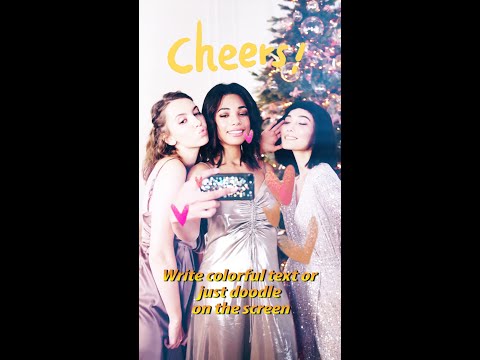
- Doodle on video, reverse video, compress video, trim soundtrack, and more.
- Fantastic Materials Center: Themes, filters, stickers, gifs, memes, emojis, fonts, sound effects, FX, etc.
Share your life story on social networks:
- Support GIF, Full HD 1080p, and Ultra HD 4K export.
- Share directly to Instagram Reels, Facebook, TikTok, REDnote, WhatsApp, Kwai, and Weibo, and more.
Turn imagination into reality with VideoShow AI Video Maker! Whether you’re a beginner or a pro, VideoShow AI Video Generator makes it easy to create viral, fun, and high-quality videos worth sharing.
Disclaimer:
VideoShow is not affiliated, associated, sponsored, endorsed by, or in any way officially connected with Instagram, TikTok, WhatsApp, YouTube, Facebook, Twitter, REDnote.
VideoShow makes AI video editing easy and fun! Create stunning videos with AI effects, stickers, filters, transitions, and music. Personalize your vlogs, memes, and social media posts with scrolling text, FX, GIFs, and voice-overs. VideoShow unlocks your creativity with smart effects to help you preserve precious memories of weddings, birthdays, Halloween, Christmas, and Valentine’s Day. Share your creations with one tap on TikTok, Rednote, Instagram, and Facebook!
Professional Video Editor & Photo Editor:
- Ready-Made Templates: A trendy video will be made with simple steps.
- Keyframe Animation: Create smooth animations and dynamic effects with precise keyframe controls.
- Mask Editing: Blend clips seamlessly and create stunning effects with precise mask controls.
- Audio extractor: Extract clear audio from any video, convert video into music.
- 4K export, save HD video with no quality loss
- Use video overlay, display multiple videos in one screen. Make double exposure effect.
- Add emojis or animated filter
- Easy-to-use, splice video clips together
- Add voice-over, Fully licensed music
- No watermark / No ads after updating to VIP.
AI Video Generator Tool:
- AI Auto Editing: Just choose, and let AI seamlessly add effects, filters, and themes.
- AI Cutout: Remove backgrounds from photos and videos in one tap. No green screen needed. Perfect for PIP overlays and creative edits.
- AI Noise Reduction: Remove background noise and enhance vocal clarity for crisp, clear audio.
- AI Subtitles: AI-powered speech-to-text helps you say goodbye to manual typing.
- AI Voice Changer: Transform your voice into countless styles.
- AI Mosaic: Protect privacy or create stylized effects with AI-powered mosaic tools.
- AI effects: Customized video filters and video effects, stroke, auto-blur, etc.
All-in-one editor:
- Use elaborate themes to create music video, slideshow or vlog instantly.
- Various background music, you can add local songs from your device too.
- Variety of text styles and fonts to create artistic subtitles.
- Add stunning filters to make your video different.
- Blurred background, voice enhancement and speed adjustment features available.
- Multiple music can be added, adjust music volume, fade in/ fade out option.
- Easily adjust the video ratio of Instagram/TikTok posts.
- GIF export: make your own funny gifs with pictures from your album.
Powerful video editing tools:
- Splice, merge, convert video to MP3, collage and loop easily.
- Zoom in/out to focus on details.
- Fast motion/slow motion to adjust speed.
- Doodle on video, reverse video, compress video, trim soundtrack, and more.
- Fantastic Materials Center: Themes, filters, stickers, gifs, memes, emojis, fonts, sound effects, FX, etc.
Share your life story on social networks:
- Support GIF, Full HD 1080p, and Ultra HD 4K export.
- Share directly to Instagram Reels, Facebook, TikTok, REDnote, WhatsApp, Kwai, and Weibo, and more.
Turn imagination into reality with VideoShow AI Video Maker! Whether you’re a beginner or a pro, VideoShow AI Video Generator makes it easy to create viral, fun, and high-quality videos worth sharing.
Disclaimer:
VideoShow is not affiliated, associated, sponsored, endorsed by, or in any way officially connected with Instagram, TikTok, WhatsApp, YouTube, Facebook, Twitter, REDnote.
AI Video Editor: Creative Videos, Edit Video with Effects, Music, Auto Captions
Updated on
Safety starts with understanding how developers collect and share your data. Data privacy and security practices may vary based on your use, region, and age. The developer provided this information and may update it over time.
- No data shared with third partiesLearn more about how developers declare sharing
- This app may collect these data typesFinancial info and App info and performance
- Data is encrypted in transit
- Data can’t be deleted


Ratings and reviews
5.6M reviews

SAO Another
- Flag inappropriate
- Show review history
September 29, 2021
I use your app since few years. I pay every year in two different gadgets that I have. Unfortunately your app is getting worse and worse. Every time I go out of the app it delete all. It's stressing after hours of work you lose all your work. And yesterday I checked that apart of that the subtitles move everything I finish to make. If this doesn't get fixed soon there's no reason to keep the contract with you.
53 people found this review helpful
VIDEOSHOW Video Editor & Maker & AI Chat Generator
November 9, 2021
Sorry for the inconvenience. Do your problem still exist recently? You can send screenshots, recorded videos and phone device models of the problems you encounter to yongsheng.sun@energysh.com E-mail. We will solve your problems as soon as possible. We hope you will reply as soon as possible, thanks.

A Google user
- Flag inappropriate
November 24, 2019
Not bad, a lot of potential. However, something that I perticularly noticed (and is kinda annoying) is that, when you pick a theme (exemple : photo album) and you decide to put a video, there are a few seconds of the video freezing before it actually lauches. Can you please remove that ? Apart from this detail, it is a great thing to have when you don't have a computer nor the money to pay another editor.
43 people found this review helpful

Sarfo Baffoe
- Flag inappropriate
August 29, 2026
When making voice over, the video stand still / paused. So it makes it difficult to use this app to make voice over. Before it wasn't like that but now this is the only problem it has.
9 people found this review helpful
VIDEOSHOW Video Editor & Maker & AI Chat Generator
August 29, 2026
Sorry for the trouble. To help you, we require your phone model, app/system version, concise problem description, and detailed screen recording. Please send it to issal713@gmail.com. Thanks for your cooperation!
What’s new
Hey, guys, With this update: We provide you with the following functions -
Smaller package: the app is lighter now, downloads faster and takes up less storage.
Streamlined experience: this update focuses on the core video creation experience, with a cleaner layout and smoother performance.
Let you enjoy editing!
Smaller package: the app is lighter now, downloads faster and takes up less storage.
Streamlined experience: this update focuses on the core video creation experience, with a cleaner layout and smoother performance.
Let you enjoy editing!
App support
About the developer
VIDEOSHOW PTE. LTD.
videoshow@videoshowapps.com
11 North Buona Vista Drive
#08-09 The Metropolis
Singapore 138589
+65 9645 9302


